

WebAR marketing: 8 campaign formats that run from a QR code
 Advice
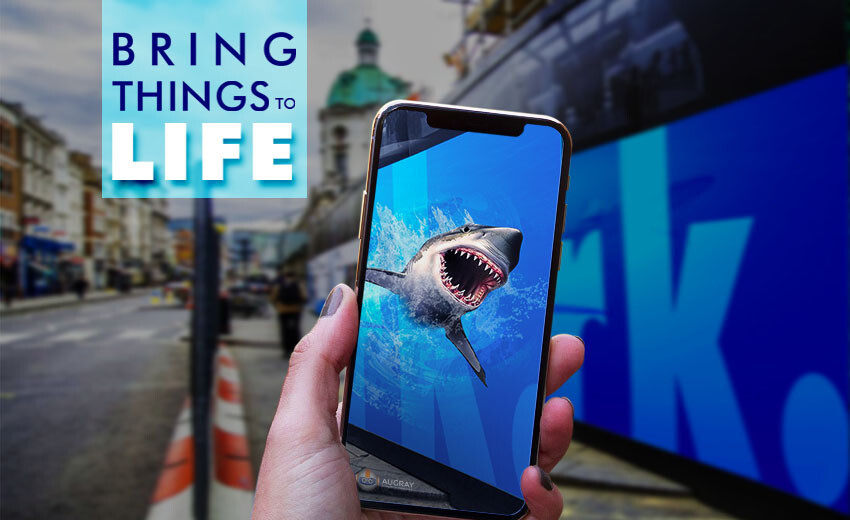
WebAR turns things people already hold, such as a package, a flyer, a poster or a business card, into a way into your brand. They scan a QR code, the AR opens in the phone's browser, and nobody has to install anything. Below are eight formats that work for campaigns, what each one needs, and how to measure the result.
Why WebAR works for campaigns
- Nothing to install. A QR code or a link opens the project straight in the browser.
- Easy to share. A WebAR project is a link, so people can send it to friends in any messenger or social network.
- Easy to update. You change the project, not the print, and there is no app store review to wait for.
- Easy to place. The same project can run from a print, a screen or your website.
8 formats that run from a QR code
1. Packaging that tells its own story
The customer points the phone at the pack and sees how the product is made, a recipe, a character from your brand, or a game. Use photo tracking on the front of the pack, and make sure the artwork has enough detail to be recognised. Examples: Augmented packages.
2. Print that comes alive
Catalogues, flyers, menus and magazine ads can show what paper can't: the product in 3D, a video, the ingredients of a dish, a button to order. The print stays the same, and the AR adds a layer you can change at any time. Examples: AR printing.
3. Posters and outdoor ads
A poster with a clear call to action ("Scan and point your phone here") becomes an experience instead of a picture. For campaigns tied to places, such as a city quest or a festival map, location-based GEO AR can start scenes when people reach a certain spot; it is available on paid plans.
4. Virtual try-on
With face tracking, customers can try on glasses, hats or make-up right on their phone. It helps people choose before they buy. Examples: AR try-on.
5. The product in the customer's room
Surface tracking puts furniture, appliances or decor on the customer's real floor or wall, at real size. With WAS 3D Configurator you add a GLB or GLTF model, set how people can interact with it, and embed the 3D and AR view right on your product page.
6. A quiz or a mini-game with a prize
A short quiz on the pack ("Which ingredients go into a Margherita?") or a quick game gives people a reason to play, and a coupon at the end gives them a reason to buy. Templates help here: you change the questions and pictures instead of building from scratch. More in how to make a WebAR game without code.
7. AR business card
A business card that plays a video greeting, shows your work in 3D and has buttons to call or write to you. It is one of the most popular WAS template projects, and a good first campaign for a small business.
Start from the AR business card page.
8. Invitations, events and presentations
An AR invitation can show the venue and the time in a way people remember. At an event, a living photo from the photo booth becomes a souvenir guests show to their friends. Agencies use the same tools for interactive pitches: a client points a phone at the proposal and sees the concept come alive. See also how to make an AR living photo.
Measure it
Decide what success means before launch: scans, time spent, clicks on the final button, coupons used. Then track it:
- Built-in analytics. Web-AR.Studio counts your project's views in your account, with nothing to set up.
- Your own counters. Connect Google Analytics or a Facebook (Meta) Pixel to the project, so AR visits show up next to your other campaign data and can be used for retargeting, within your privacy rules.
- A unique link or code. Give each placement its own QR code or a coupon code, so you know which print brought the customers.
Be careful with big promises in your own reports. Compare the AR placement with a similar one without AR, and let your own numbers speak.
Make it yours
- Your own domain. The project opens at your address, not someone else's. See how to connect your domain.
- Your loading screen and interface. Customise the first screen people see, so it looks like your brand.
- On your website. Embed the 3D and AR view on any page.
- In an app, if you need one. Besides the browser, projects can open in an instant app without installation on supported phones, or in a native app. See WebAR for the details.
Plan a campaign in 5 steps
- One goal. Sales, sign-ups, awareness: pick one and choose the final button to match.
- One format. Choose from the eight above, based on what people already hold or pass by.
- A trigger that tracks. Check the artwork before printing: how to pick a picture that tracks well.
- A short experience. Make the first seconds count and end with a clear next step: AR design and UX: 10 rules.
- A test with real people. Several phones, the real print, the real place.
Want to see how it works on your product? Build a campaign prototype in WAS Design Studio: the basic features are free. For larger campaigns, compare plans on the pricing page.
FAQ
Do customers need to install an app?
No. They scan a QR code or open a link, and the AR runs in the phone's browser.
Can I change the content after the print run?
Yes. The QR code leads to your project, so when you publish a new version, the same code shows it. Plan seasonal updates from the start.
How do I measure results?
Use the built-in analytics in your Web-AR.Studio account, and connect Google Analytics or a Facebook (Meta) Pixel to see AR visits next to your other campaigns.
Can the AR open on our own domain?
Yes. You can connect your own domain to a project, and customise the loading screen and the interface.
Recommended articles


Learn more about how to use Web-AR.Studio
We'll show you how to do this and answer all your questions in our educational AR webinar!
AR.Studio Cookie Notice
We use cookies that are necessary to run this site, and analytics cookies only if you accept. You can change your choice at any time. More details
