

How to make a WebAR game without code: quiz, tap game, treasure hunt
 Advice
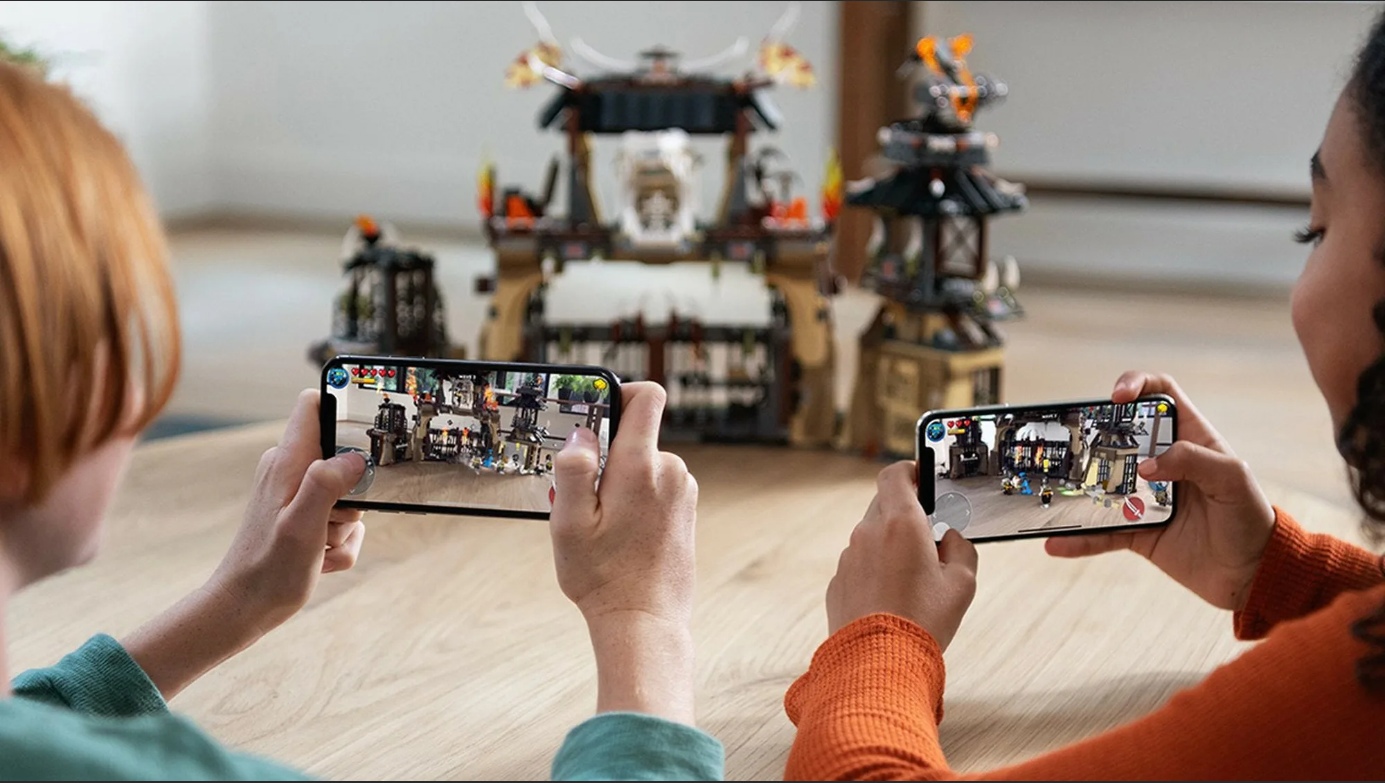
You can build a simple AR game without writing code: a quiz on a package, a tap game on a poster, or a treasure hunt around a venue. In Web-AR.Studio you put it together from templates, scenes and actions, and players open it from a QR code in the phone's browser. Here is how each type works and how to finish it with a prize.
What a WebAR game is made of
| Building block | What it does in a game |
|---|---|
| Trigger | starts the game: a picture, a QR code, a surface or a location |
| Scenes and transitions | the screens of your game: start, questions, levels, the final screen |
| Animations and actions | what happens when a player taps an element |
| Logic editor | conditions and branches without code: right or wrong answer, enough points or not |
| Templates | ready-made projects and scenes you change instead of building from scratch |
All of this is in WAS Design Studio, the no-code editor of Web-AR.Studio.
Game 1: an AR quiz with a discount
A quiz is the easiest game to start with, and it works well for promotions. Say a pizzeria runs a campaign: a QR code on the box opens a quiz about Italian food, and the right answers unlock a discount.
- Start from a template. The quiz templates already have the scenes and the reaction to a wrong answer. You change the name, the questions and the picture for each step.
- Write short questions. Three to five questions on the topic of the campaign ("What goes into a Margherita?") keep players to the end.
- Reward the finish. On the final scene, show the discount code or a button that opens your order page.
- Put the trigger on the package. Use the box design or a sticker as the picture, with a clear call to action next to the QR code.
More ideas: Surveys and quizzes.
Game 2: a tap game
Objects appear around the picture, and the player taps them: catch the falling fruit, pop the balloons, find the hidden items.
- Lay out the objects. Drag 3D models or images into the scene around the trigger.
- Give each one an action. On a tap, the object plays an animation and disappears.
- Count and decide. Use the logic editor to add a condition: when all items are found, move to the final scene.
- Add a start and an end. A start scene with one line of rules, and a final scene with the result and a next step.
Keep the rules to one sentence. If a player has to read a paragraph before playing, most won't.
Game 3: a treasure hunt
A treasure hunt makes people move: around a shop, an exhibition, a campus or a city.
- Stations with markers. Put a picture or a QR code at each station. Each one opens its own scene with a clue to the next station.
- Stations with locations. For routes outdoors, GEO AR starts a scene when the player reaches a set place. It is available on paid plans.
- A final reward. The last station shows a prize, a code or a photo moment people want to share.
Test the route yourself, on foot, with a phone on mobile data. A clue that is obvious at your desk can be impossible to find on site. More ideas: AR excursions.
Games for learning
Games work in class too. A tutor can turn a hard topic into something students explore: planets of the Solar System on the desk, a molecule to turn around, a quiz after each 3D model. Web-AR.Studio has plans for teachers and schools.
How to make players finish
- Short. One idea per game. A long game on a package is a game nobody finishes.
- Clear. Tell players what to do in one line, right on the print.
- Fair. A wrong answer should explain, not just punish.
- Rewarding. A prize, a score or a fun ending, and a button for what comes next.
For more on the experience itself, see AR design and UX: 10 rules. For the campaign side, read WebAR marketing: 8 formats.
Test and publish
- Play the whole game yourself on a phone, with the real print.
- Give it to someone who has never seen it, and watch where they get stuck.
- Publish and share the link or the QR code. Players don't need to install anything.
- Check the built-in analytics after launch to see how many people play.
Have a game idea? Build your first WebAR game in WAS Design Studio. The basic features are free, with no time limit and no bank card. Examples to get inspired: Mini games.
FAQ
Do I need to know how to code?
No. Templates, scenes, actions and the visual logic editor cover quizzes, tap games and simple hunts.
Can I give players a discount at the end?
Yes. Show a code on the final scene, or add a button that opens your shop or order page.
Does a game need a printed marker?
No. Besides pictures and QR codes, a game can start on a surface, such as a table or the floor, or at a location with GEO AR.
Do players need an app?
No. The game opens in the phone's browser from a link or a QR code.
Recommended articles


Learn more about how to use Web-AR.Studio
We'll show you how to do this and answer all your questions in our educational AR webinar!
AR.Studio Cookie Notice
We use cookies that are necessary to run this site, and analytics cookies only if you accept. You can change your choice at any time. More details
